
Become a Certified Cybersecurity + AI Professional
Master Cybersecurity and learn how Artificial Intelligence can help detect threats, analyze vulnerabilities, automate security tasks, and strengthen digital defenses. Gain practical experience in ethical hacking, penetration testing, and AI-powered cybersecurity.
Time before the Price increases:

Why You Should Take This Course
🔐 Build In-Demand Cybersecurity + AI Skills
Learn essential cybersecurity concepts including network security, malware, phishing, vulnerabilities, ethical hacking, penetration testing, and social engineering.
You’ll also learn how to use AI for threat detection, security analysis, vulnerability assessment, and security automation, with hands-on practice using relevant tools and an ethical hacking lab.


Why Choose SkillBoost?
- Hands-On Practical Training to build real cybersecurity skills
- 3 International Internship Placements to strengthen your CV
- Real Tools, Labs & Attack Simulations for practical experience
- Job Guarantee or 100% Refund subject to applicable terms
- Expert Trainers & Mentors providing step-by-step guidance
- Professional Certificate of Completion
- Job Alerts & Career Guidance to support your career journey
- FREE Ultra-Fast Unlimited Internet (Starlink)
- Gain Real-World Experience, Not Just Knowledge
Skills You'll Learn
Build practical Cybersecurity + AI skills to identify threats, analyze risks, and strengthen digital security using modern AI-powered tools.
a. Fundamentals of Cybersecurity and Information Protection
b. Understanding Cyber Threats and Attack Techniques
c. Cybersecurity Architecture and Security Models
d. Legal, Regulatory, and Ethical Considerations in Cybersecurity
e. Current and Emerging Trends in Cybersecurity
a. Understanding Ethical Hacking
b. Different Types of Hackers
c. Common Types of System Attacks
d. Introduction to Linux
e. Understanding the Basic Kali Linux File System
f. Key Features of Linux
g. Basic Linux Commands (Practical)
h. Advanced Linux Commands (Practical)
a. Fundamentals of Computer Networking
b. Different Types of Networks
c. Comparing IPv4 and IPv6
d. Understanding MAC Addresses
e. Routers and Their Components
f. Understanding the TCP/IP Model and How It Works
g. Introduction to Network Protocols
h. Understanding How TCP Works
i. Understanding Domain Names
j. DNS Records and Their Functions
k. Understanding HTTP Requests
l. Different HTTP Request Methods
m. Understanding How Computer Networking Works
n. Understanding IP Addresses
o. Different Types of IP Addresses
p. The Role of Ports in Networking
q. Understanding the OSI Model and How It Works
r. Comparing the OSI and TCP/IP Models
s. Common Types of Network Protocols
t. Comparing TCP and UDP
u. Understanding the Domain Name System (DNS)
v. Understanding DNS Zone Files
w. Understanding HTTP Responses
x. Capturing and Analyzing Network Packets with Wireshark
a. Ethical Hacking Lab Setup Procedure
b. Installing Kali Linux on VirtualBox
c. Configuring the Kali Linux Environment
d. Exploring Different Tools and Their Modules
a. Understanding Footprinting and Reconnaissance
b. Applications of Footprinting and Reconnaissance
c. Website Footprinting (Netcraft, Wappalyzer)
d. DNS Footprinting (DNSenum, DNS Lookup, MX Lookup, NS Lookup)
e. Footprinting Using the OSINT Framework
f. Types of Footprinting and Reconnaissance
g. Footprinting Using Search Engines
h. Footprinting Through Social Networking Platforms
i. Email Footprinting (Email Tracker Pro)
j. WHOIS Footprinting
a. Introduction to Network Scanning
b. Exploring Different Network Scanning Techniques
c. Identifying Open and Accessible Ports
d. Detecting Installed Software and Version Details
e. Understanding the Network Scanning Process
f. Identifying Active Systems and Determining Buffer Sizes
g. Discovering Services Running on Network Ports
h. Performing OS Fingerprinting and Banner Grabbing
i. Generating XML Reports for Metasploit and Converting Report Formats
a. Understanding the Concept of Enumeration
b. Identifying Common Default Ports
c. Techniques for SNMP Enumeration
d. Techniques for NFS Enumeration
e. Enumerating Network Services
f. Different Types of Enumeration
g. Techniques for NetBIOS Enumeration
h. Techniques for SMTP Enumeration
i. Techniques for DNS Enumeration
j. Enumeration Countermeasures and Security Measures
a. Understanding Vulnerability Assessment
b. Stages of the Vulnerability Assessment Lifecycle
c. Vulnerability Rating and Scoring Systems
d. Vulnerability Scanning with OWASP ZAP
e. Categorizing Different Types of Vulnerabilities
f. Vulnerability Assessment Tools and Solutions
g. Identifying Vulnerabilities from Nmap Scan Results (MSF, Exploit DB, Armitage)
a. Understanding the Different Layers of the Internet (Surface, Deep, Dark & Hidden Web)
b. Modifying MAC Addresses Using Macchanger
c. Changing Wi-Fi MAC Addresses
d. Setting Up a VPN (Free VPN Services)
e. Configuring Anonymous Browsing in Linux
f. Setting Up a Dark Web Website Using a Tor Server
g. Changing User Agents with Random User Agent Switcher
h. Automating MAC Address Changes with Shell Scripts
i. Configuring Proxies (Manual and Tor Proxy)
j. Understanding IP Anonymity Methods
k. Accessing the Dark Web Using Tor Browser
a. Introduction to System Hacking
b. Windows Password Cracking Techniques (Pwdump, Ophcrack, Lophcrack)
c. Linux Privilege Escalation Techniques
d. System Hacking Through URLs (Camera, Location, Passwords, and More)
e. Exploiting Open Ports for System Access (Nmap, Netcat, MSF, Armitage, Exploit DB)
f. Understanding Steganography
g. Different Types of Steganography
h. Practical Steganography Exercises
i. System Hacking Methodology
j. Creating Effective Password Lists
k. Windows OS Privilege Escalation Techniques
l. Understanding URL Masking
a. Understanding Malware and Its Impact
b. Common Examples of Malware
c. Understanding Trojan Malware
d. Viruses, Worms, and Their Characteristics
e. Different Approaches to Malware Analysis
f. Static Malware Analysis Techniques
g. Dynamic Malware Analysis Techniques
h. Creating RAT Trojans (HTTP RAT)
i. Generating Payloads Using MSF
j. Developing Undetectable Payloads
a. Introduction to Network Sniffing
b. Understanding Network Attacks Using Sniffing Tools
c. Different Types of Network Sniffing
d. Network Scanning and Active Scanning Techniques
e. Network Protocols Susceptible to Sniffing
f. Understanding MAC Address Spoofing
g. Exploring MAC Flooding Techniques
h. Setting Up a Rogue DHCP Server for MITM Attacks
i. Understanding DHCP Flooding
j. Man-in-the-Middle (MITM) Attacks
k. Capturing and Analyzing Network Traffic with Wireshark
a. Introduction to Social Engineering
b. Exploring Different Social Engineering Techniques
c. Human-Based Social Engineering Methods
d. Computer-Based Social Engineering Techniques
e. Mobile-Based Social Engineering Techniques
f. Social Engineering with the Social-Engineer Toolkit (SET)
a. Understanding Denial-of-Service (DoS) Attacks
b. Understanding Distributed Denial-of-Service (DDoS) Attacks
c. Major Categories of DoS/DDoS Attack Vectors
d. Network-Based DoS Techniques (Hping3, MSF, Yersinia)
e. Denial-of-Service Attacks Against Websites
f. DoS Using Programs and Commands for CPU and Memory Utilization
a. Introduction to Session Hijacking
b. Factors That Enable Successful Session Hijacking
c. Understanding the Session Hijacking Process
d. Different Types of Session Hijacking
e. Session Hijacking Techniques Using Burp Suite Professional and Ettercap
a. Understanding Web Servers and Common Server Attacks
b. Web Server Attack Methodologies
c. Fundamentals of Web Application Concepts
d. Web Application Hacking Methodologies
e. Web Application Vulnerability Scanning (Acunetix Pro, Nessus)
a. Fundamentals of Wireless Networking
b. Understanding Different Wireless Encryption Methods
c. Common Wireless Network Threats
d. Wireless Network Hacking Methodologies
e. WEP Security Testing on Wi-Fi Networks
f. WPA/WPA2 Security Testing from Basic to Advanced
g. Understanding Wi-Fi Jamming Techniques
a. Mobile Platform Attack Vectors and Vulnerable Areas
b. OWASP Top 10 Mobile Security Risks (2016)
c. Common Mobile Platform Vulnerabilities and Security Risks
d. Mobile Security Best Practices and Guidelines
e. Android Call, SMS, and Email Bombing Techniques
f. Payload Generation from Basic to Advanced
g. Using Keylogger Applications
h. Information Gathering from Google Accounts
i. Android and iOS Security Scanning (MVT, iMazing)
j. Installing and Using Termux on Android
k. Installing Kali NetHunter on Android
a. Introduction to Cryptography
b. Understanding the Differences Between Encoding, Hashing, and Cryptography
c. Exploring Different Types of Cryptography
d. Understanding How Cryptography Works
e. Cryptography Tools and Their Applications
f. Tools for Hashing
g. Tools for Data Encoding
a. Fundamentals of Firewalls
b. Configuring Windows Firewall Using the GUI
c. Configuring Linux Firewall Using the GUI
d. Configuring WAF on Linux with ModSecurity
a. Optimizing Your LinkedIn Profile
b. Creating an Effective Professional Resume
c. Preparing for Mock Interviews
d. Choosing a Cybersecurity Career Specialization
e. Reliable Sources for Building Cybersecurity Knowledge
Take part in an Ask-Me-Anything session with an experienced cybersecurity professional for practical guidance, insights, and career direction.
Learn from an experienced freelancer about building a remote cybersecurity career, finding opportunities, positioning your skills, and working with international clients.
Understand the requirements and application process for the UK Skilled Worker Visa and Tech Nation Visa, including how eligible technology professionals can pursue opportunities in the UK.
Register today and enjoy free access to a professional workspace equipped with ultra-fast satellite internet powered by Starlink.
Training Details
No need to quit your job or school, you can enhance your professional and earning potential with our weekday, weekend and online sessions.
Ibadan Physical Training (Weekday)
- SkillBoost Limited: 4, Obe Street, Beside BOVAS Filling Station, New Bodija, Ibadan, Oyo State, Nigeria.
- Start Date: Monday 21st September 2026.
- Days & Time: (Mon, Wed and Fri) 10:00AM - 1:00PM
- Duration: 10 Weeks
Port Harcourt Physical Training (Weekday)
- SkillBoost Limited: Fonte House, 1 Temple Ejekwu Close, First Artillery Junction, Aba Road, Port Harcourt, Rivers State.
- Start Date: Monday 21st September 2026.
- Days & Time: (Mon, Wed and Fri) 2:00PM - 5:00PM
- Duration: 10 Weeks
Instructor-Led Live Online Training
- Join our Instructor-Led Online Training and never miss a session—every class is live and also recorded, giving busy professionals and business owners the flexibility to learn, grow, and achieve results on their own schedule.
- Start Date: Monday 14th September 2026.
- Days & Time: (Mon, Wed and Fri) 7:00PM - 9:00PM
- Duration: 10 Weeks
Lagos Physical Training (Weekday)
- SkillBoost Limited: 19, Afolabi Obe Street (Opposite Watchman Charismatic Church), Ori-Oke Bus Stop, Ikotun-Egbe Road, Ejigbo Lagos.
- Start Date: Monday 21st September 2026.6.
- Days & Time: (Mon, Wed and Fri) 10:00AM - 1:00PM
- Duration: 10 Weeks
Training Details
Port Harcourt Physical Training Centre
SkillBoost Limited: Fonte House, 1 Temple Ejekwu Close, First Artillery Junction, Aba Road, Port Harcourt, Rivers State.
Start Date (Weekday Batch): 26th January 2026.
Time: 10:00AM - 1:00PM (Monday, Wednesday and Friday)
Duration: 12 Weeks
Ibadan Physical Training Centre
SkillBoost Limited: 4, Obe Street, Beside BOVAS Filling Station, New Bodija, Ibadan, Oyo State, Nigeria.
Start Date (Weekday Batch): 26th January 2026.
Time: 10:00AM - 1:00PM (Monday, Wednesday and Friday)
Duration: 12 Weeks
Instructor-Led Live Online Training
Join our 10-Week Instructor-Led Online Training and never miss a session—every class is recorded, giving busy professionals and business owners the flexibility to learn, grow, and achieve results on their own schedule.
Training Start Date: 26th January (7PM- 9PM)
Time and Days: Mon, Wed. & Fri
Duration: 12 Weeks
Weekend Batch (Physical)
Training Start Date: 31st January 2026.
Days and Time: Sat (10:00AM - 1:00PM) & Sun (1:00PM - 4:00PM).
Duration: 12 Weeks
100% Money-Back Guarantee
If you complete the training, apply the skills, and do not get a Job within 3 - 6 Months, we’ll refund every fee—no questions asked. The only risk? Missing out on a life-changing opportunity. Enroll now and start building your future!
To REGISTER
Transfer or Pay ₦150,000 Into:
ACCOUNT NUMBER
8900036976
ACCOUNT NAME
SKILLBOOST LIMITED
BANK NAME
PROVIDUS BANK
After Payment, Send Your Proof of Payment to 08028973599 via WhatsApp to Complete Your Registeration.
Meet Our Mentors
Learn from experienced mentors dedicated to helping you gain practical skills, build confidence, and succeed in your tech journey.



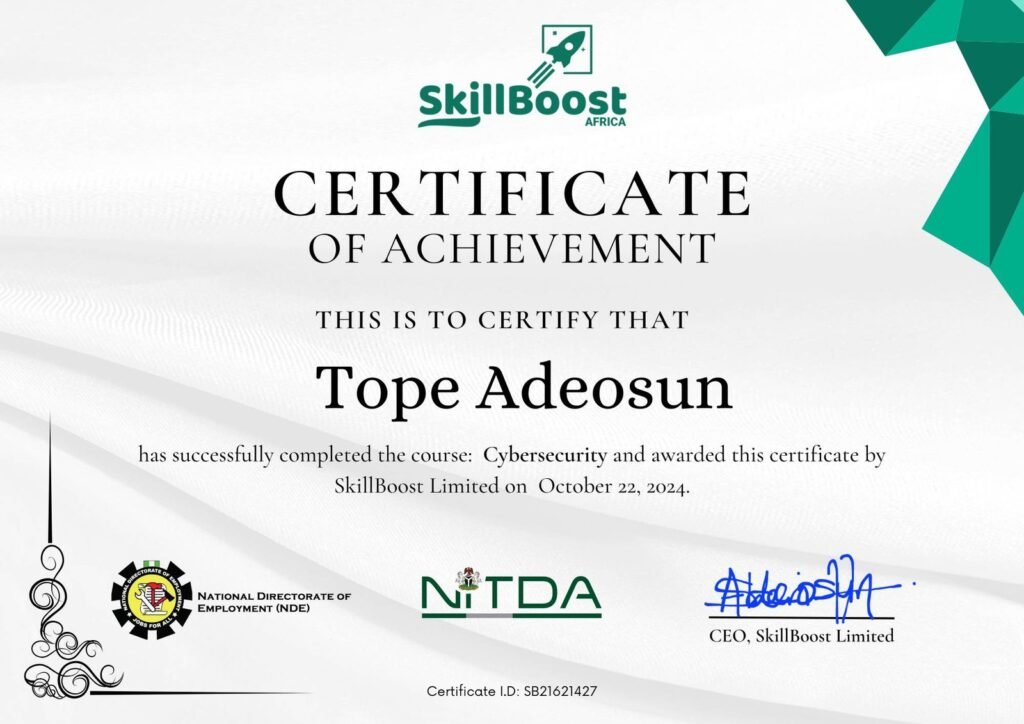
Earn a certificate that sets you apart
Earn a recognized certificate that validates your skills and sets you apart in today’s competitive tech industry.
With SkillBoost, you don’t just learn, you gain proof of your expertise through our certificate that reflects real, industry-relevant knowledge and hands-on experience.
Testimonials
99% of our previous students rated us 5 stars.
Don’t take our word, just read what some of them have to say.
Posted on Google
 Divinepeace Moses
Trustindex verifies that the original source of the review is Google.
A very nice experiencePosted on Google VICTORY MISHAELI am truly grateful to SkillBoost Limited for such a wonderful Virtual Assistant training experience. The program was practical, insightful, and equipped me with valuable skills that will help me grow professionally. A special appreciation to my instructor, Mrs Omah-Kika, for her passion, patience, and dedication. She is an exceptional tutor who genuinely loves what she does, and her commitment made this learning journey both enjoyable and impactful. Thank you, SkillBoost Limited, for investing in people and creating an environment where learning and growth thrive. I am proud to have been part of this experience.Posted on Google
 Precious OkoMy experience at SkillBoost was really a pleasant on. I had the best time at SkillBoost. I can say for a fact that they have the best tutors and Mrs. Kika is one of the Best. From the training I'm able to do what I was not able to do in my four years of learning Data processing in University. Give it to Mrs Kika for her patience, guidance and willingness to take our hands step by step. I did the Virtual Assistant training there and I can tell you that I am ready for any job with how well my tutor trained me, I can take any work and represent her very well. I am ready to go back to SkillBoost to learn more skills because of the likes of my tutor. SkillBoost is doing a great Job 👍. Keep up the good work.Posted on Google
 Ihuaku NwankwoBeautiful experience!!! Great tutor @ Mrs Omah Kika!!! Good and conducive learning environment. Looking forward to running more programs.Posted on Google
 Kingsley OnyemAs an IT student intern, SkillBoost provided a valuable learning experience that enhanced my frontend development, and corporate skills through practical, hands-on projects. Truly, it was a transformative experience. I would always recommend SkillBoost Limited!Posted on Google
 Victoria UzomaBest Learning Experience and Team workPosted on Google
 Lola SulaimanMy experience with SkillBoost has been amazing. The training environment is excellent, the instructors are knowledgeable, patient, and committed to helping students truly understand the concepts. I started with with zero knowledge on Digital Marketing. With just 10 weeks of training I got an intern with a reputable company as a Digital Marketer. I highly recommend SkillBoost to anyone looking to upgrade their tech and business skills. It is definitely a great place to learn, grow, and prepare for future opportunities.Posted on Google
 Fatokun DonaldSkillboost Limited provided an excellent learning experience with knowledgeable instructors and practical training. Highly recommended for anyone looking to develop digital skills.Posted on Google
 VICTORYIt is a really good center. The cybersecurity class was really impactful and I gained so much from it
Frequently Asked Questions
Cybersecurity is the practice of protecting computer systems, networks, and data from digital attacks. In today’s world, cybercrime is rising daily, and businesses are investing heavily in security experts.
Learn how AI can enhance threat detection, security analysis, automation, and digital protection.
Beginners, students, graduates, IT professionals, and anyone interested in cybersecurity and AI.
Cybersecurity professionals are in high demand worldwide. After training, you can pursue roles such as:
- Cybersecurity Analyst
2. SOC Analyst
3. Security Analyst
4. Junior Penetration Tester and
5. IT Security Specialist.
These jobs often come with competitive salaries and global work opportunities.
Unlike generic online courses, we combine hands-on cybersecurity training with practical AI applications, tools, projects, and career guidance.
Yes. The course is beginner-friendly. Basic computer knowledge is recommended.
The Training runs for 10 Weeks. We offer flexible learning options (weekend, evening, and online classes) so you can learn at your own pace while balancing work or school.
Absolutely. You’ll receive a professional certificate upon successful completion. employers.
No specific academic qualification is required. Basic computer knowledge and a willingness to learn are recommended.
We accept Two (2) installment payment plans to make learning accessible for most people. Remember—investing in cybersecurity skills means opening doors to global high-paying careers.
Yes. SkillBoost provides career guidance, mentorship, job recommendations, and access to a jobs community.
If you complete the training, apply the skills, and do not get a Job within 3 – 6 Months, we’ll refund every fee—no questions asked.
The only risk? Missing out on a life-changing opportunity. Enroll now and start building your future!
Contact SkillBoost to confirm the next available start date and secure your spot.